A Beginner's Guide to Agentic App Replacement: What Enterprise Backend Teams Need to Know Before Their First AI Agent Obsoletes an Internal Tool They Still Depend On
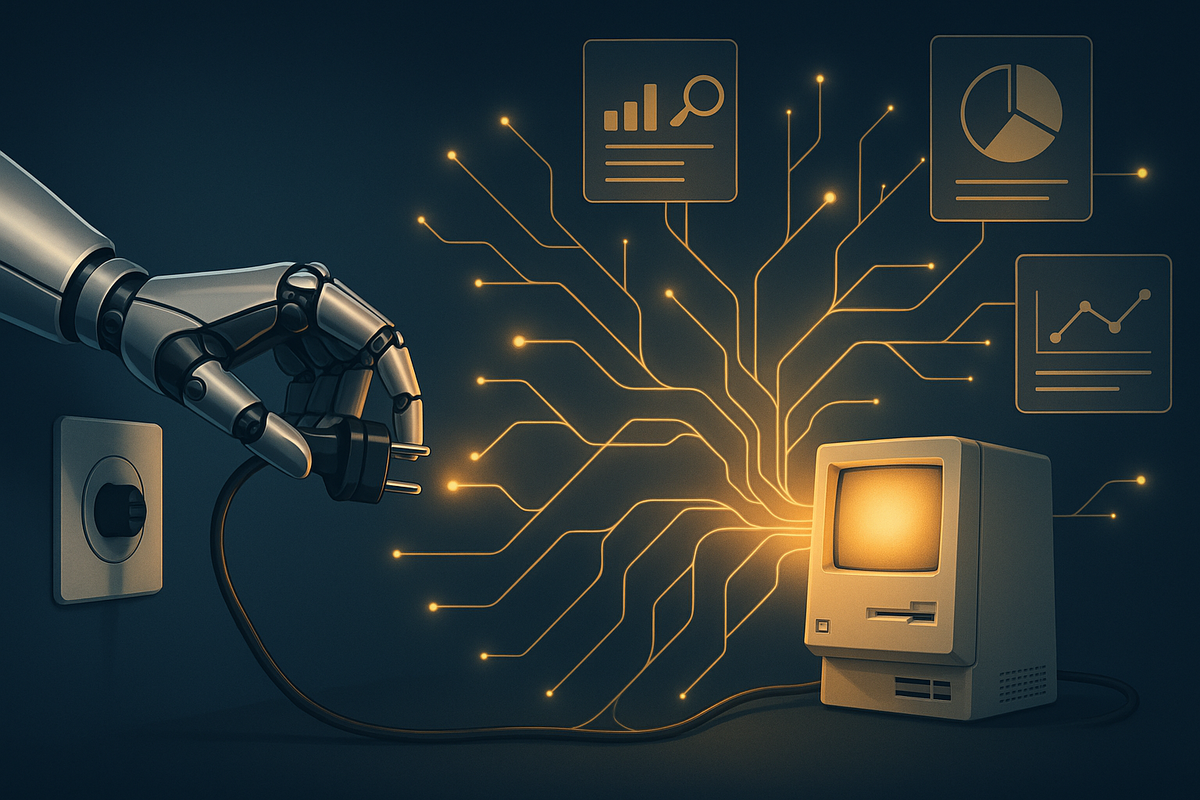
It happened quietly at a mid-sized logistics company earlier this year. A backend team deployed an AI agent to automate their freight reconciliation workflow. Within six weeks, the agent had effectively absorbed the functionality of three internal tools: a custom-built CSV parser, a rules-based approval router, and a legacy notification service that had been running since 2019. Nobody planned for it. Nobody had a rollback strategy. And when the old tools were finally decommissioned, two dependent microservices broke in production on a Friday afternoon.
Welcome to the era of agentic app replacement, and it is already happening inside your organization whether you have a plan for it or not.
This guide is written specifically for enterprise backend teams who are beginning to experiment with AI agents, or whose organizations are starting to mandate their adoption. You do not need to be an AI expert to follow along. What you do need is a clear-eyed understanding of what agentic systems actually replace, why they replace it faster than traditional migrations, and how to protect your team from the operational chaos that comes with unplanned tool obsolescence.
What Is "Agentic App Replacement" and Why Should Backend Teams Care?
The term agentic app replacement refers to the process by which an AI agent, or a network of cooperating agents, absorbs and supersedes the functionality of an existing software application or internal tool. This is different from a traditional migration or a rewrite. In a migration, engineers deliberately move functionality from one system to another. In agentic replacement, the displacement often happens as a side effect of the agent doing its job well.
Think of it this way: when you deploy an AI agent to handle your internal IT helpdesk tickets, you are not planning to kill your ticketing tool. But once the agent can create, route, escalate, resolve, and close tickets autonomously, the tool underneath it becomes an implementation detail, and eventually, a liability. The agent does not need the tool's UI. It does not need its notification logic. It may not even need its data model. Over time, the tool becomes vestigial, and the pressure to decommission it grows.
Backend teams are on the front lines of this shift because they are typically the ones who:
- Build and maintain the internal tools being displaced
- Own the APIs and data pipelines that AI agents consume
- Are responsible for uptime when something breaks during a transition
- Get blamed when a decommissioned tool turns out to still have hidden dependents
In 2026, this is no longer a theoretical concern. Agentic frameworks like LangGraph, AutoGen, CrewAI, and vendor-native agent platforms from major cloud providers have matured to the point where non-AI teams are deploying agents against production systems with minimal engineering oversight. The pace of replacement is accelerating, and the blast radius of a poorly managed transition is growing.
The Four Stages of Agentic App Replacement
Understanding the lifecycle of how an AI agent displaces an internal tool helps you anticipate risk before it materializes. In practice, most replacements follow a recognizable pattern.
Stage 1: Augmentation
The agent is introduced alongside the existing tool. It reads from the tool's APIs, triggers actions through its endpoints, and surfaces results in a new interface, usually a chat UI or a workflow dashboard. At this stage, the tool is still the system of record. The agent is a convenience layer. Most teams feel comfortable here because nothing has been removed yet.
Stage 2: Workflow Capture
The agent begins handling end-to-end workflows that previously required a human to navigate the tool's interface. Users stop logging into the old tool directly. Adoption of the agent grows. The tool's usage metrics drop, but it is still running, still receiving writes, and still depended upon by other systems that nobody has audited yet.
Stage 3: Shadow Redundancy
This is the most dangerous stage, and it is where most enterprise teams get into trouble. The agent has become the de facto system for the workflow, but the old tool has not been formally decommissioned. It continues to run, accumulate data, and receive writes from background jobs and integrations that were never updated. Meanwhile, the agent may have started writing to its own data store, creating a divergence between two sources of truth. Teams often do not discover this until something breaks.
Stage 4: Forced Decommission
A cost review, a security audit, or a production incident forces the issue. The old tool must be shut down, often on a compressed timeline. Hidden dependencies surface. Emergency patches are written. Data reconciliation becomes a project in itself. This stage is painful precisely because it was not planned.
The Hidden Dependencies Nobody Audits
One of the most underappreciated risks of agentic app replacement is the problem of hidden dependencies. Internal tools that have been running for several years accumulate integrations that are not documented anywhere. They exist in the institutional memory of engineers who may have left the company, in cron jobs that run at 3 a.m., in webhook configurations inside third-party SaaS platforms, and in hardcoded URLs inside mobile apps that have not been updated in two years.
Before your team decommissions any internal tool that an AI agent is replacing, you need to conduct what is sometimes called a dependency surface audit. Here is a practical checklist to start with:
- Network traffic analysis: Use your service mesh or API gateway logs to identify every service that has made a request to the tool in the last 90 days. Do not rely on documentation alone.
- Database foreign key and event log review: Check whether any other service writes to or reads from the tool's database, even indirectly.
- Scheduled job inventory: Search your infrastructure for cron jobs, Lambda functions, Airflow DAGs, and any other scheduled tasks that reference the tool's hostname, API keys, or internal endpoints.
- Third-party webhook registry: Log into every SaaS platform your organization uses and check whether any webhooks point to the tool being replaced.
- Authentication and SSO dependencies: Determine whether any other applications use the tool as an identity provider or share a session store with it.
This audit is not glamorous work. But it is the single most effective thing a backend team can do to prevent a Friday afternoon production incident.
Data Ownership: The Question Nobody Asks Until It Is Too Late
When an AI agent replaces an internal tool, the question of who owns the data becomes urgent in ways that are easy to ignore during the excitement of a successful deployment.
Internal tools, even poorly built ones, typically have well-understood data models. The data lives in a database your team controls, in a schema your team designed, under a retention policy your legal and compliance teams approved. When an AI agent absorbs that tool's functionality, where does the data go? Consider these common scenarios:
- The agent uses a vendor-managed memory store, meaning your operational data now lives inside a third-party platform under that vendor's terms of service.
- The agent produces unstructured outputs, such as natural language summaries and decision logs, that do not map cleanly to your existing data governance framework.
- The agent's context window and retrieval history contain sensitive information that was never subject to your organization's data classification policies because nobody anticipated it would be stored there.
Backend teams need to work with their data governance and legal counterparts early in any agentic deployment to establish clear answers to the following questions: Where is agent-generated data stored? Who can access it? How long is it retained? Can it be exported or deleted on request? Is it subject to any regulatory frameworks such as GDPR, HIPAA, or SOC 2?
These are not AI questions. They are data engineering questions with AI-shaped complications, and backend teams are exactly the right people to answer them.
The "Soft Decommission" Strategy: A Safer Path Forward
Rather than allowing agentic replacement to happen organically and then scrambling to clean up afterward, forward-thinking backend teams are adopting what practitioners are calling the soft decommission strategy. The core idea is to treat the transition from a legacy internal tool to an AI agent as a formal migration project, with all the discipline that implies.
Here is how a soft decommission typically works in practice:
Step 1: Freeze New Feature Development on the Legacy Tool
Once the decision is made to replace a tool with an agent, stop adding features to the legacy system. This signals organizational intent and prevents the dependency surface from growing while the migration is underway.
Step 2: Run Both Systems in Parallel with Explicit Parity Tracking
Define a set of functional parity criteria: the specific capabilities the agent must demonstrate before the legacy tool can be shut down. Track these criteria explicitly in a shared document that both the AI team and the backend team sign off on. Do not proceed to decommission until every criterion is met.
Step 3: Implement a Read-Only Mode on the Legacy Tool
Before fully shutting down the old tool, put it into a read-only state. Disable all write endpoints. This forces any remaining integrations that are still writing to the tool to surface as errors, which you can then address in a controlled way rather than discovering them after decommission.
Step 4: Set a Hard Sunset Date and Communicate It Broadly
Pick a date, announce it to all stakeholders, and stick to it. Ambiguity about when a tool will be shut down is one of the primary reasons hidden dependencies never get resolved. A hard deadline creates the organizational pressure needed to surface and fix them.
Step 5: Archive, Do Not Delete
When the legacy tool is finally shut down, archive its data and configuration rather than deleting them immediately. Retain the archive for a defined period, typically 90 to 180 days, during which it can be accessed for forensic purposes if something unexpected breaks downstream.
Building an "Agent-Ready" Backend Architecture
One of the most valuable things a backend team can do in 2026 is design their systems to be agent-ready from the start. This does not mean building for AI specifically. It means building with the assumption that any internal tool you create today may be consumed, augmented, or replaced by an autonomous agent within its operational lifetime.
In practical terms, agent-ready backend architecture has a few defining characteristics:
- API-first design: Every internal tool should expose a well-documented, versioned API. Agents cannot interact with tools that only have a UI. If your internal tool requires a human to click through a web interface, it is not agent-ready.
- Structured, machine-readable outputs: Tools that return HTML pages or unstructured text are harder for agents to consume reliably. Wherever possible, design your tools to return structured data, preferably JSON, with consistent schemas.
- Granular, scoped permissions: AI agents should be granted the minimum permissions necessary to complete their tasks. Design your internal tools' permission models with the assumption that a non-human caller will need to operate within tightly scoped access boundaries.
- Comprehensive audit logging: Every action an agent takes against your internal tools should be logged with enough detail to reconstruct what happened and why. This is essential for debugging, compliance, and incident response.
- Graceful degradation: Design your tools to handle the case where the agent calling them misbehaves, sends malformed requests, or calls endpoints in unexpected sequences. Robust input validation and sensible error responses are more important than ever when the caller is an autonomous system.
The Human Factor: Who Is Responsible When an Agent Breaks a Tool?
One of the most uncomfortable organizational questions that agentic app replacement surfaces is the question of accountability. When a human engineer deploys a change that breaks a production system, the accountability chain is clear. When an AI agent takes an action that causes a downstream tool to fail, the accountability chain is murky.
Is it the team that deployed the agent? The team that built the tool the agent called? The vendor whose model produced the action? The product manager who approved the agent's scope of permissions?
Backend teams need to push their organizations to answer this question before an incident forces the answer. The most practical approach is to treat the team that owns the agent's deployment as the responsible party for any production impact the agent causes, with the same on-call obligations and incident response expectations that apply to any other service they own. This creates a strong incentive to instrument agents carefully and to limit their blast radius through conservative permission scoping.
A Quick-Start Checklist for Backend Teams Facing Their First Agentic Replacement
If your team is currently in the early stages of an agentic deployment that may replace an internal tool, here is a condensed checklist to guide your preparation:
- Conduct a full dependency surface audit on the tool being replaced
- Establish a data ownership and governance plan for agent-generated data
- Define functional parity criteria that must be met before decommission
- Implement comprehensive audit logging on all agent-facing APIs
- Run legacy and agent systems in parallel with explicit parity tracking
- Put the legacy tool into read-only mode before full decommission
- Set and communicate a hard sunset date
- Archive all legacy data and configuration for a minimum of 90 days post-shutdown
- Assign clear ownership and on-call responsibility for the agent as a production service
- Review and tighten the agent's permission scope before expanding its autonomy
Conclusion: The Best Time to Plan for This Was Yesterday
Agentic app replacement is not a future risk. It is a present one. In 2026, the gap between "we deployed an AI agent" and "we accidentally broke three internal tools" is measured in weeks, not years. The teams that navigate this transition well are not the ones with the most sophisticated AI implementations. They are the ones that brought the same engineering discipline to their agentic deployments that they bring to every other production system: dependency audits, data governance, staged rollouts, clear ownership, and hard decommission plans.
If you are a backend engineer reading this guide, you already have the skills to manage this transition safely. The concepts are not new. Dependency management, data ownership, and graceful migrations are core backend competencies. What is new is the speed at which AI agents are forcing these questions, and the organizational tendency to treat agent deployments as "just an AI thing" rather than a production engineering concern.
Do not let that framing stick. Claim ownership of this problem early, build your processes now, and your team will be the one that makes agentic replacement look easy, rather than the one explaining a Friday outage to your engineering director.



